First separate indexing from ranking
A website missing for one search phrase is not automatically absent from Google's index. Start with an exact URL and a specific question: is the page known, has it been crawled, is it indexed, or is it indexed but not appearing for the query you expected?
A site: search can be a quick observation, but its results are not exhaustive. Zero results alone do not establish that every page on your domain is unindexed.
Check an owned URL in Search Console
Inspect the intended page in a property you control. Keep the inspection date, exact URL and reported state. Compare recorded information with a live test when appropriate; a live access check is not a prediction of inclusion or ranking.
Inspect the full address, including the correct hostname, HTTPS and path. Read the indexed result first, then use a live test to investigate today's response. Google's URL Inspection documentation distinguishes these views. If Google selected a different canonical, review that version before diagnosing your preferred URL as missing.
Review the basic eligibility conditions
Google's technical requirements cover access, successful responses and indexable content. Examine the page as a visitor without your own login: does it show the intended content, or an error, empty template or restricted screen?
- Review accidental noindex or access restrictions while keeping intentional privacy controls intact.
- Check that the URL and its intended canonical version are consistent.
- Make important pages reachable through relevant internal links.
- Check that a sitemap lists the public versions you intend to expose.
Follow the actual report state
| Observation | Next investigation |
|---|---|
| Google knows the URL but has not fetched it | Use the discovered-page guide. |
| The page was fetched but is not included | Use the crawled-page guide. |
| An alternate URL is being selected | Review duplicate versions and canonical signals. |
| The page is indexed but misses a target query | Review search intent, relevance and the page's usefulness separately from indexing. |
If your page is indexed but not ranking
Open Search Console's Performance report and filter to the exact page. Review the queries receiving impressions, their countries and devices, and a date range long enough to provide useful evidence. An average position describes the selected searches; it is not a fixed rank for every person or location.
Compare the page with the task behind your intended search. A pricing page, a product guide and a troubleshooting article answer different needs. Improve the page's specific answer, examples and supporting links before adding more variants of the same keyword. The indexing stages guide explains why another submission is not a ranking fix.
Example: diagnose a newly published service page
Imagine an owned page at https://example.com/service that loads correctly but is absent for a broad service query. This is an illustrative example. If URL Inspection reports indexed with the intended canonical, record that result and investigate relevance and competition. Do not remove working indexing settings merely because the page has not reached the first results page.
If the same inspection instead reports discovered but not indexed, check how a visitor reaches the page from existing content and whether its canonical URL appears in the sitemap. Follow the discovery troubleshooting checklist rather than applying the ranking investigation to an uncrawled page.
Do not invent a penalty diagnosis
An exclusion label or a traffic drop is not by itself proof of a manual action. Google provides a Manual actions report for those notices. Investigate the evidence you actually have instead of labeling every visibility issue a penalty.
Record one intentional change at a time
For example, if a page opens only after a login, record that restriction and whether it is intended. If a public guide has no useful incoming navigation, document where a relevant internal link was added. Use later observations to assess the result; do not claim a fix merely because a button was clicked.
A useful record contains the URL, the reason it should be public, the observed problem, the change and the date of a later check. It can also honestly say that the state did not change.
When to request indexing again
After publishing a useful page or fixing a demonstrated issue, use the appropriate Search Console request or sitemap workflow. Google's recrawl guidance explains the options and limits. Repeating an unchanged request is not a way to force a higher position.
Where a submission workflow fits
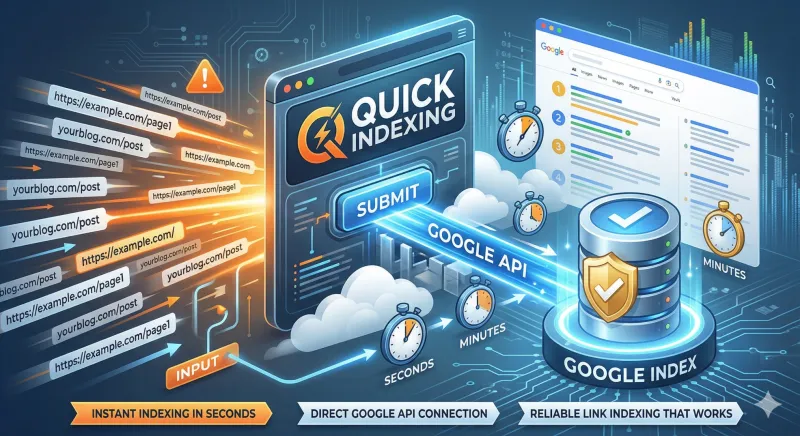
For a site you own, review Search Console and sitemap options first. QuickIndexing provides batch submission and history; it cannot repair your page or guarantee inclusion. Repeated submissions do not replace diagnosis. See how processing statuses work before spending more credits.
Managing several technically ready pages? The bulk URL preparation checklist helps separate a clean submission list from pages that still need repair. For an external publisher's page, use the backlink evidence checks, since you may not have access to its Search Console property.
Website visibility questions
Does an empty site search prove the whole website is unindexed?
No. It is a limited search observation. Inspect representative exact URLs in a verified property before making a site-wide conclusion.
Should I remove every canonical or noindex directive?
No. Review whether each setting matches the page's purpose. Keep intentional exclusions for private or duplicate pages; correct only demonstrated mistakes.
Can an indexing service guarantee first-page rankings?
No. Submission is separate from Google's indexing and ranking decisions. Compare the owned-site submission options with the problem you actually need to solve.
By QuickIndexing. Reviewed 27 October 2026.